![Square 1000x1000.png]](https://faq.carts.guru/hs-fs/hubfs/Square%201000x1000.png?width=80&height=80&name=Square%201000x1000.png)
Steps to delete a contact
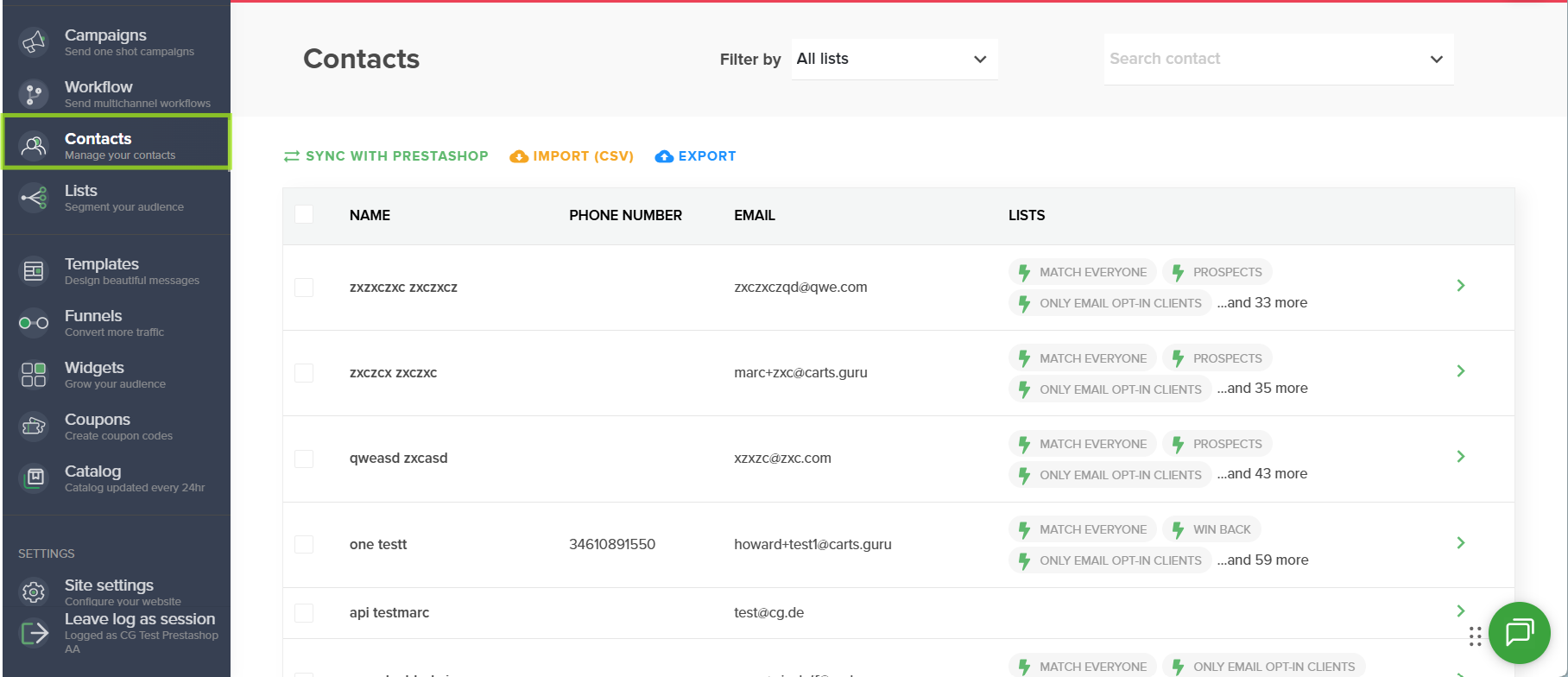
1. Access the Contacts section
From your Carts Guru interface, go to the Contacts section. You will find the list of all contacts saved in your account.
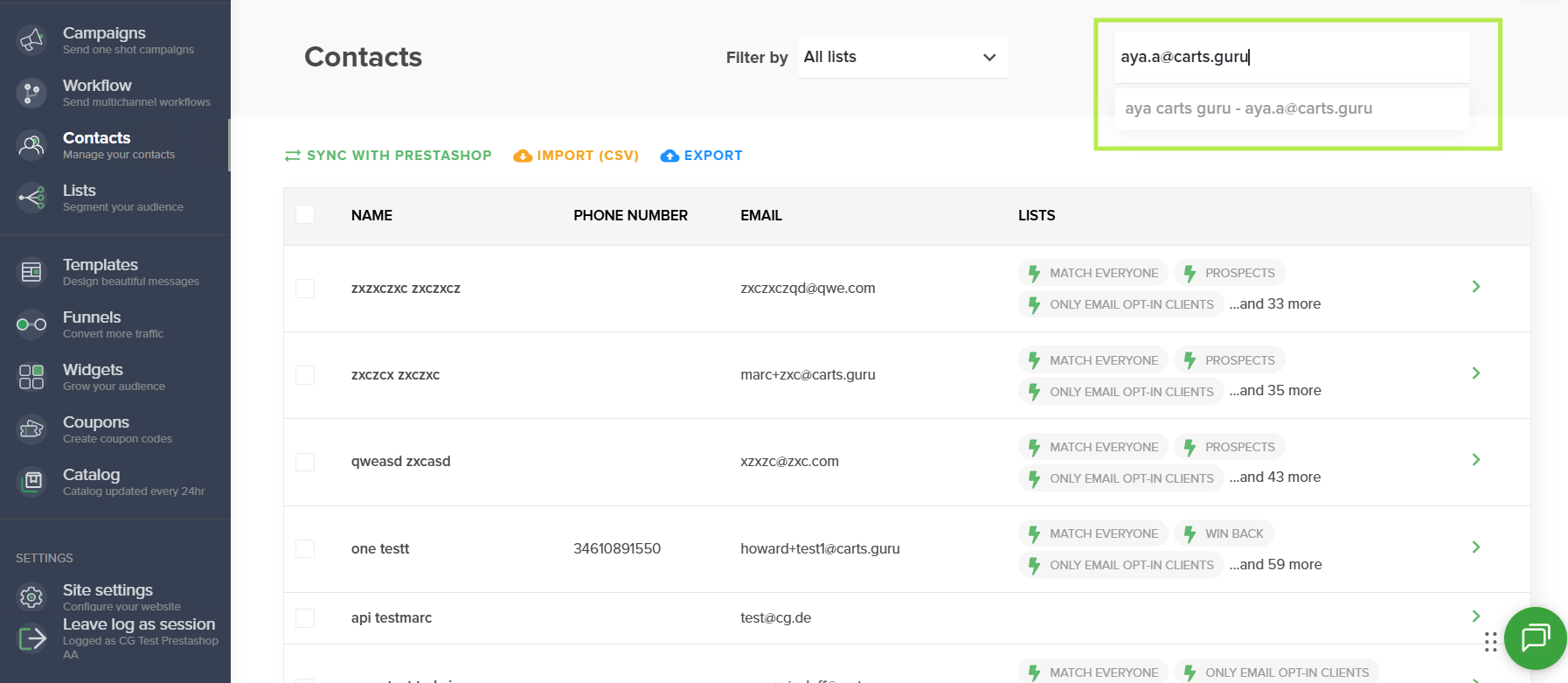
2. Search for the contact to delete
Use the search bar to find the contact you want to delete. You can search for a contact using:
- Their first and last name;
- Their first and last name;
📌 If you want to delete multiple contacts at once or delete a group of contacts, refer to the dedicated article: How to delete groups of contacts
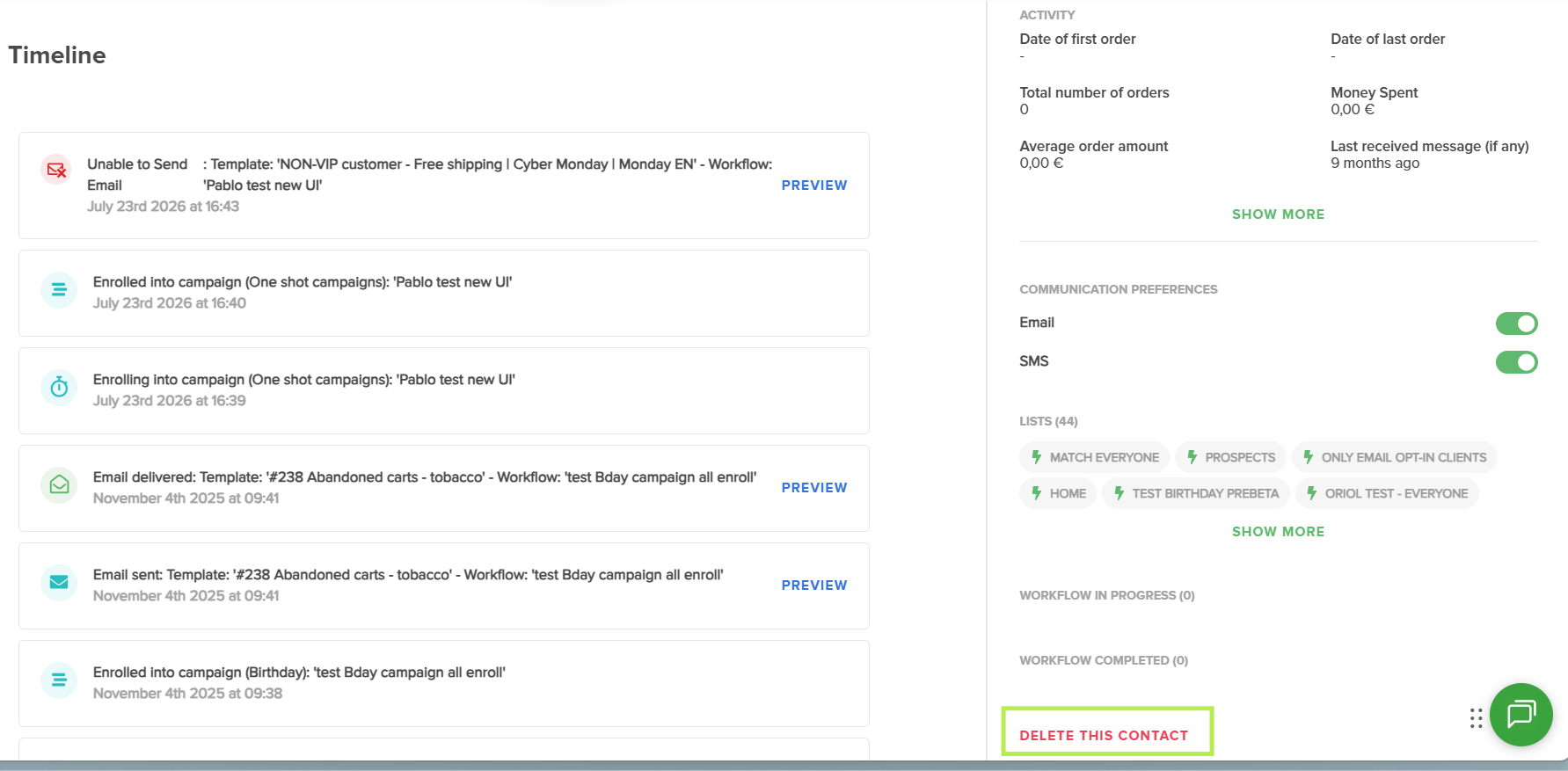
3. Open the contact profile and delete the contact
Click on the contact you want to delete to access their detailed profile. From the contact profile, scroll down to the bottom-right corner of the screen and click the delete option.
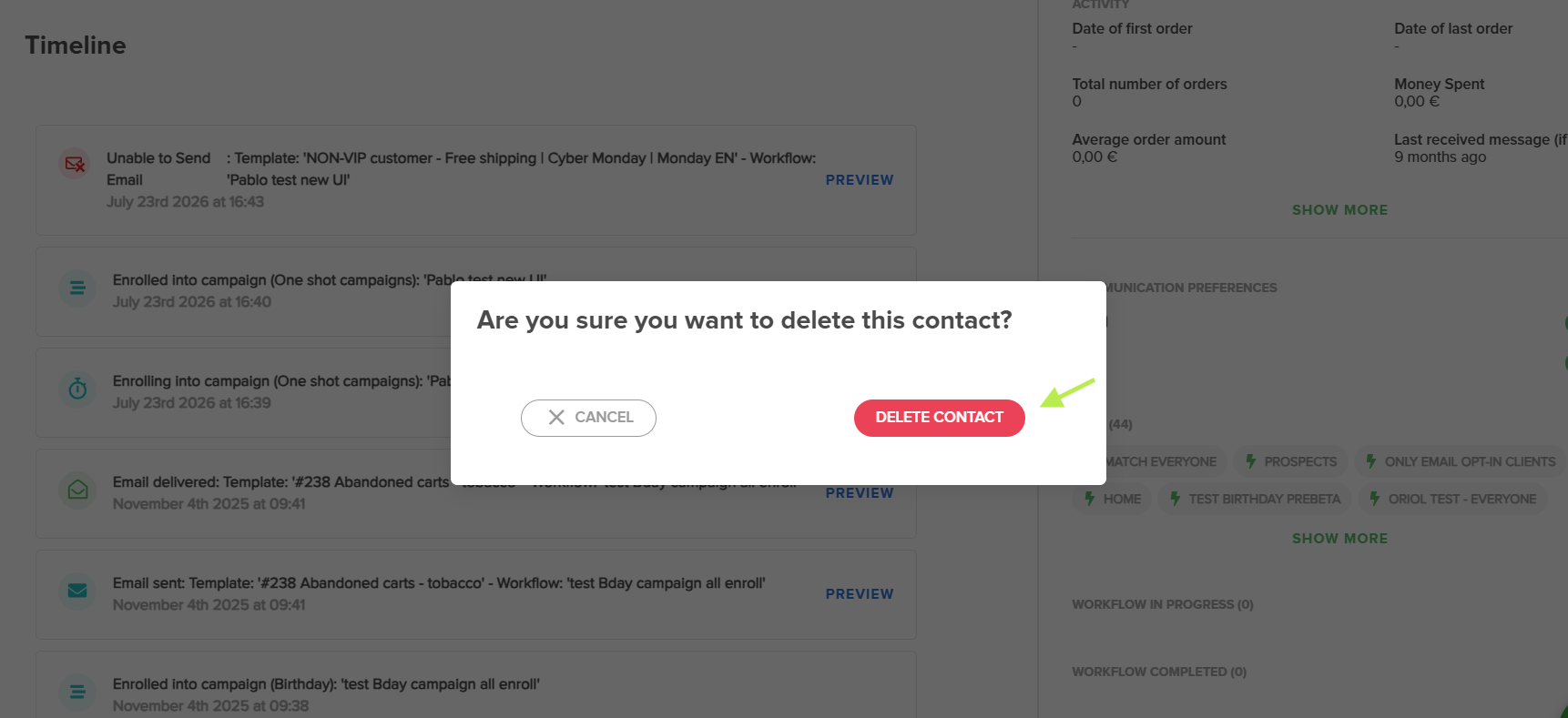
4. Confirm the deletion
A confirmation window will appear. Click Confirm to complete the contact deletion.
Result
Once the deletion is confirmed, the contact is permanently removed from your contact database.